How to Pay Your PECO Bill: A Comprehensive Guide

Managing your PECO bill is straightforward, thanks to a variety of convenient payment options. This guide will help you navigate through the available methods for paying your bill and provide information on special assistance programs.
Billing & Payment Options
1. Online Payments
- Sign In and Pay: Log in to your account to view your bill and make payments. Visit My Account.
- Pay as a Guest: If you don’t have an account, you can make a payment without signing in by visiting the Guest Payment Page.
PECO Contact Information
| Contact Type | Details |
|---|---|
| Emergency Number | 1-800-841-4141 |
| Gas Emergency (Alternate) | 1-844-841-4151 |
| Customer Service (Phone) | 1-800-494-4000 (7 a.m. - 7 p.m., Mon-Fri) |
| Best Call Times | Tues-Fri, 11 a.m. - 4 p.m. |
| In-Person Location | PECO Customer Solution Center, 2301 Market St., Philadelphia, PA 19103 (Mon-Fri, 10 a.m. - 2 p.m.) |
| Payment Mailing Address | PECO, P.O. Box 37629, Philadelphia, PA 19101 |
| Manage Account Online | PECO Account Login |
2. Direct Debit
Enroll in direct debit to automatically withdraw your bill amount from your bank account. Sign up at Direct Debit Enrollment.
3. Automatic Payment
Set up recurring payments through your account so you never miss a payment. Access the option via Automatic Payment Setup.
4. Mobile App
Pay your bill easily through the PECO mobile app, available for download:
5. PayPal
You can manage and pay your PECO bills through the PayPal app, making it easy to handle payments. Learn more at PayPal Bill Management.
6. In-Person Payments
Make payments at preferred locations. Find a list of payment locations here.
7. Phone Payments
Call 1-877-432-9384 to make a payment using a credit card, debit card, or bank account. If your service is disconnected due to nonpayment, contact PECO at 888-480-1533 for restoration payments. For more details, visit Pay by Phone.
8. Mail Payments
To pay by mail, send a check or money order to:
PECO P.O. Box 37629 Philadelphia, PA 19101
Report an Outage
If your lights go out, report your outage online, via text message, or by calling customer service. These services are available 24/7. You can also check your outage status through Check My Outage Status or view the Outage Map.
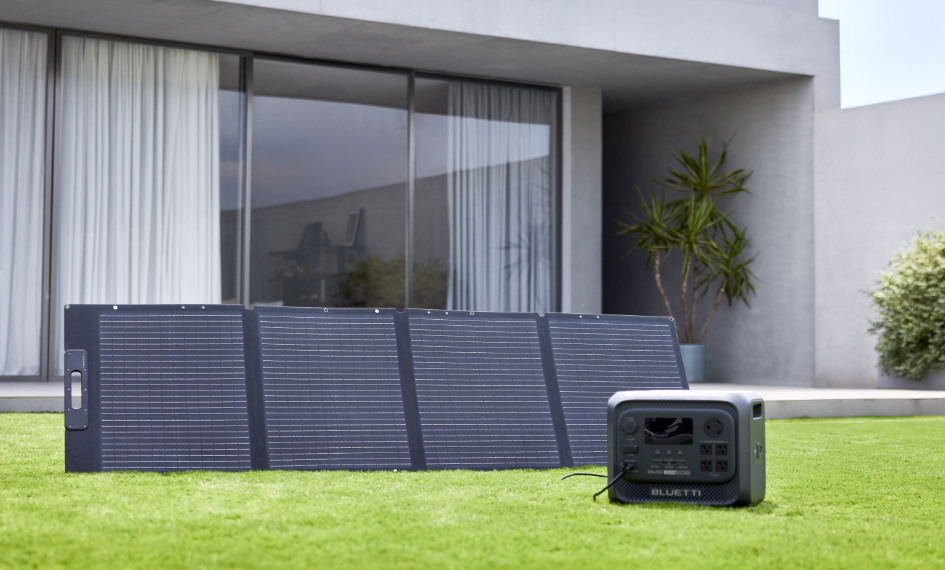
Beyond managing monthly utility payments, homeowners can also explore ways to improve their energy flexibility and prepare for unexpected power interruptions. The BLUETTI Apex 300 Home Battery Backup delivers 3,840W output. By adding B300K expansion batteries, homeowners can further customize their backup power capacity to match different household energy needs.


Apex 300 Versatile Power Station | 3,840W, 2,764.8Wh
- Smartest 120V/240V Portable Power
- 3,840W | 2,764.8Wh | LiFePO₄
- 0ms UPS Response Time
- 6,000+ Life Cycles to 80% Capacity
- Dual Voltage Output & Expandable Storage
- Ideal for Smart Home Energy Management

Shop Products for This Article

You May Also Like